How to Deposit and Withdraw Earnings from PKPlus Game?
Deposit and withdraw processes are very simple in PKPlus. Here is a step-by-step breakdown of both the deposit and withdrawal processes.
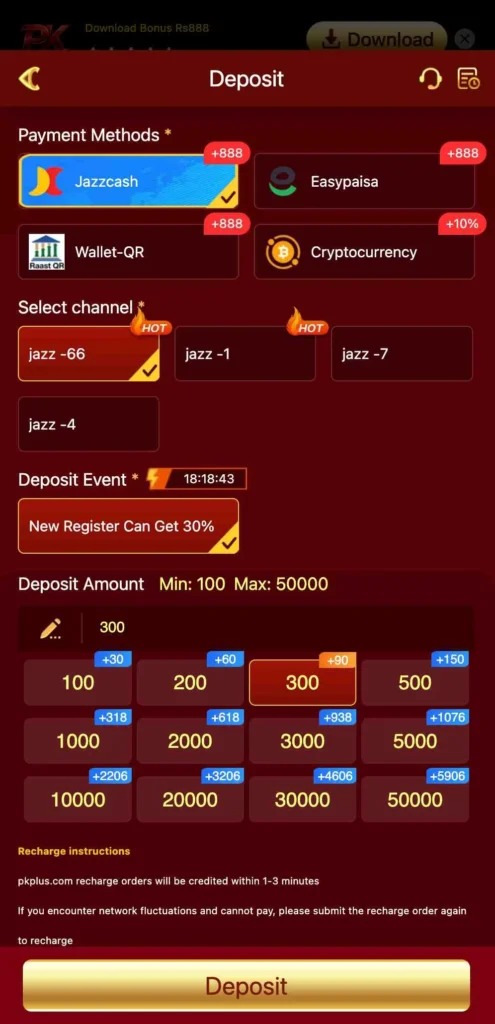
Deposit Steps:
- Open the PK Plus App and log in to your account.
- Tap on the Wallet icon at the bottom of the screen, select the deposit amount.
- Choose your preferred payment method (JazzCash, Easypaisa, or Bank Transfer).
- Enter the amount you want to deposit (minimum PKR 100).
- Follow the instructions on-screen to complete the payment.
- Your balance will be credited to your account instantly.
Withdraw Steps:
- Log in to your PKPlus game account, go to the Wallet section, and select Withdraw Amount.
- Choose your withdrawal method: JazzCash, Easypaisa, or Bank Account.
- Enter your account number.
- Confirm the withdrawal request.
- Your funds will be transferred, usually within a few minutes.